SituaTrack
Daily patient follow-up for pediatric surgery teams
- Role
- Product designer and developer
- Timeline
- 1 week of discovery, 3 months of iteration
- Activity
- Hospital
- Context
- 10+ doctors (interns, residents, professors). 248 patients. Cheikh Khalifa and Mohammed VI hospitals, Casablanca.
- Tools
- AI Module, SQL, Supabase, Frontend, Saas, Operation
The problem
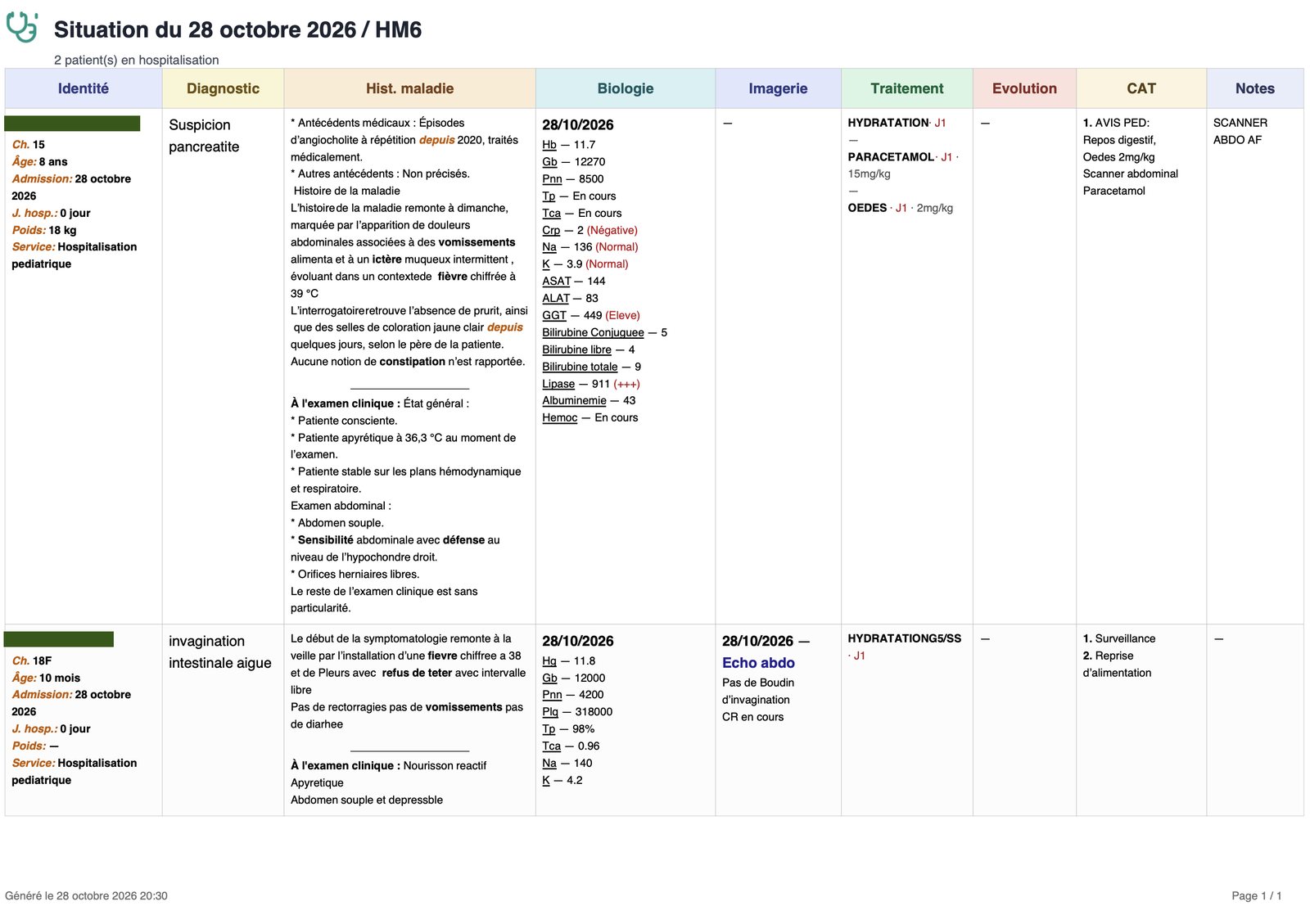
Intern doctors took notes on paper or in phone notes, then transcribed them twice at the end of the day: into an Excel report and into an outdated hospital ERP. Everyone used their own format, so reports were incomplete and inconsistent. Professors complained, residents spent time fixing errors, and sometimes a report took three days and a confrontation to arrive.
Three users, three needs
Interns
log consistently, with less double entry.
Residents
the middle manager, want fewer errors to fix, faster onboarding
Professors
clean, consistent reports and usable data for research
Research
A week of long interviews with a resident, who described the pressure from both sides. Quick, informal conversations with interns and professors continued through the build and became my feedback loop.
What I got wrong
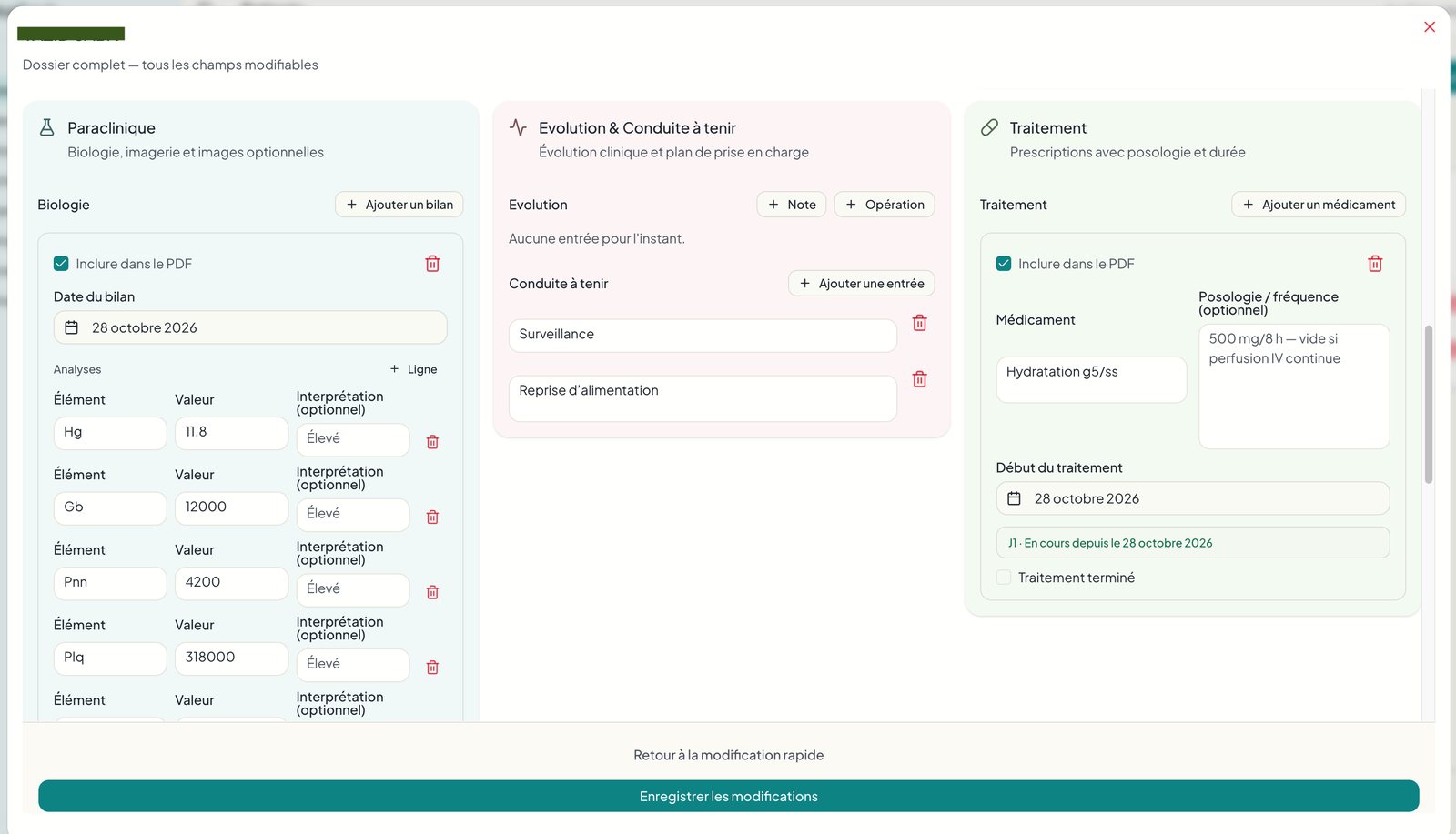
I expected “fewer clicks” and was wrong. My marketing reflex said stressed doctors need minimal input. They wanted thoroughness over speed.
Printing and research were core needs, not extras.
Status and presentation mattered. I wrote 364 rules to auto-style medical terms so reports read well, and a daily “Hello Doctor / Professor” greeting delighted users more than most features.
Approach: designed in code
Users could only react to something real, and I had no access to the hospital ERP. So I skipped mockups. I shipped MedNotes, a single-user tool for the first resident, in two weeks. Once the team adopted it, they named it SituaTrack, because it tracks and reports the day’s situation. Field feedback drove everything after that.
A day with Situatrack
- 01
Morning
login & export the situation du jour as a PDF, printed for rounds.
- 02
During rounds, on phone
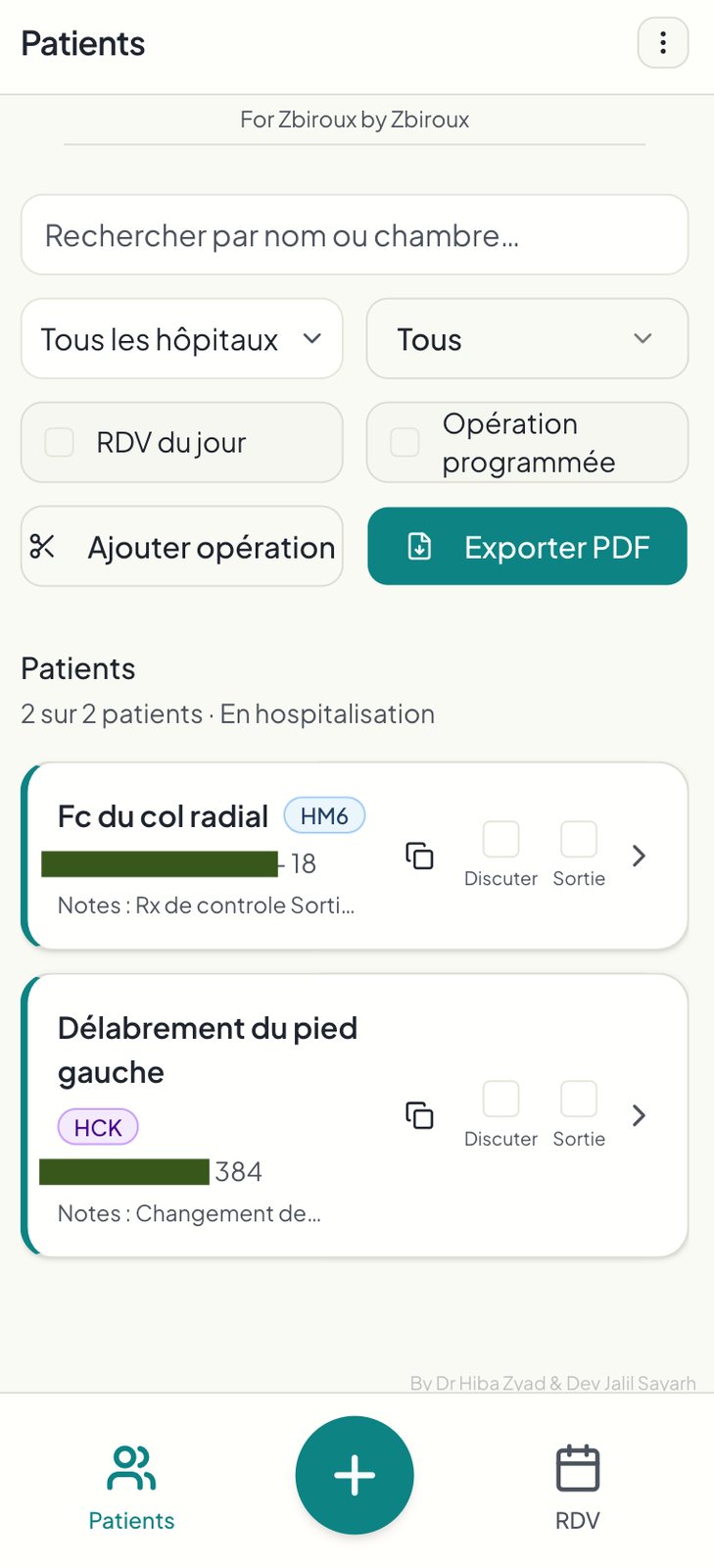
take notes and flag patients “À discuter” for team briefs.
- 03
End of day
check the day’s entries on phone or laptop and send the report in one click.
Evolution
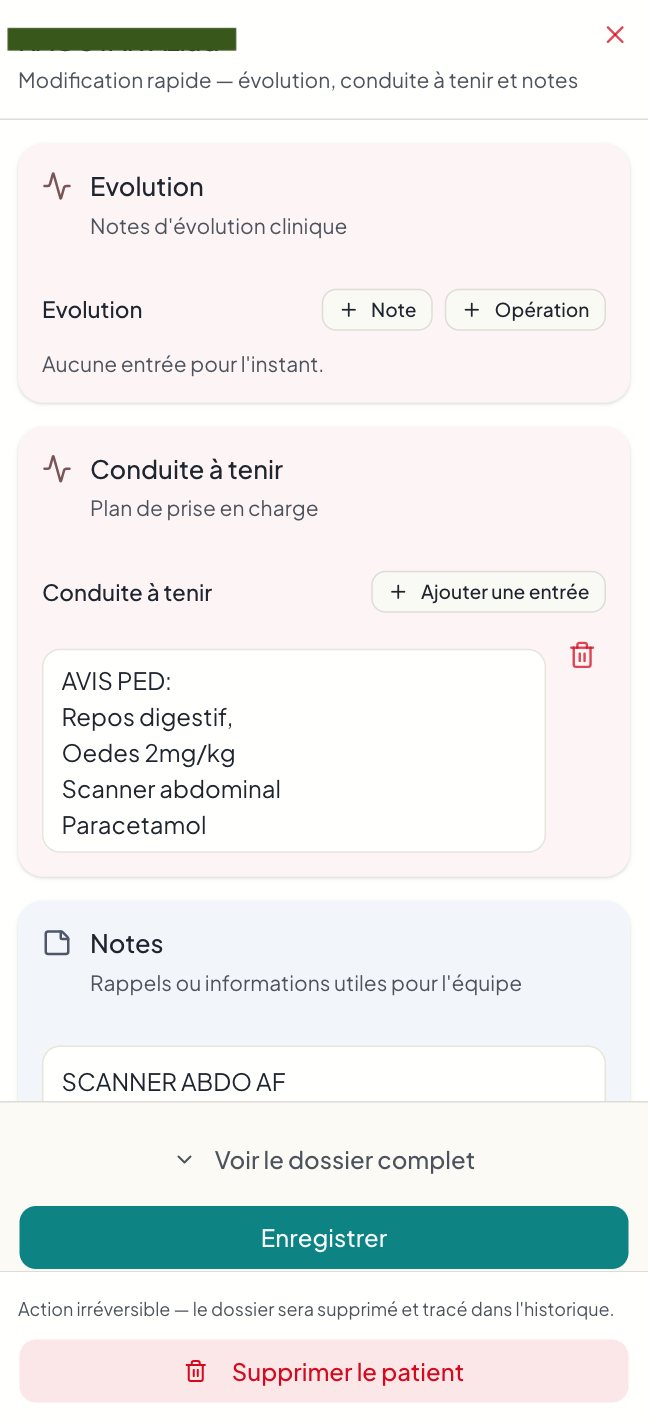
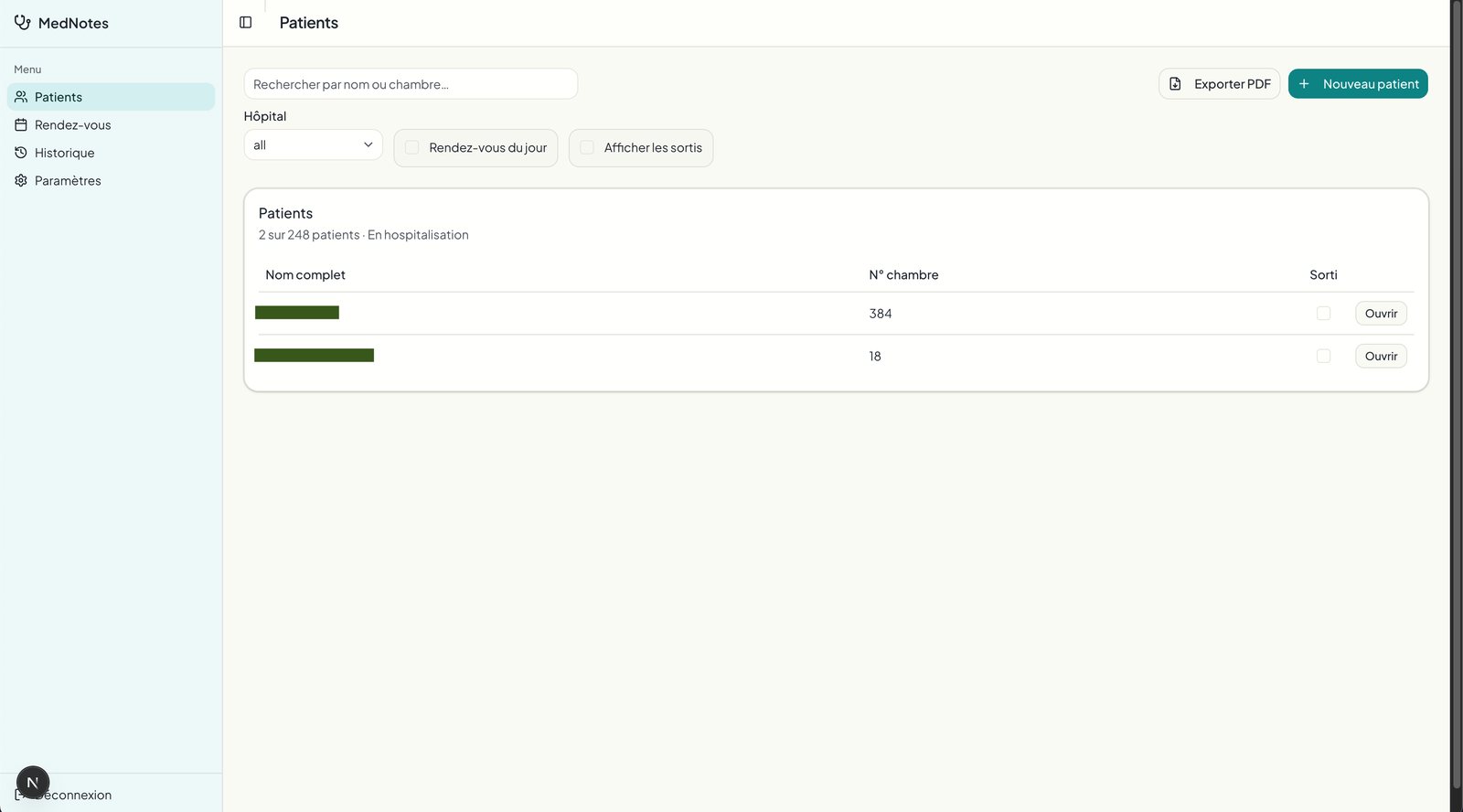
V1 covered note-taking and PDF export. After month one, doctors asked for appointments, a calendar and research. The desktop menu grew from 4 to 8 sections, and the mobile app moved secondary features behind a header menu, keeping Patients, Add and Appointments in the bottom bar.
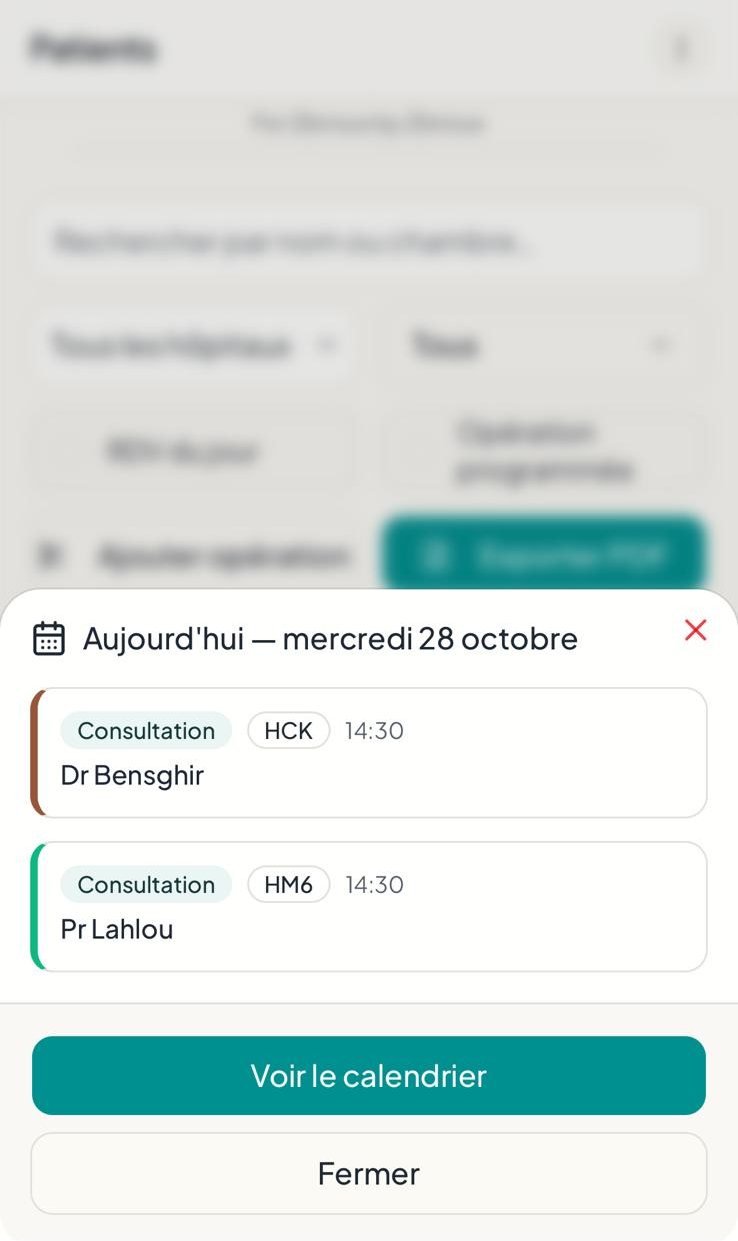
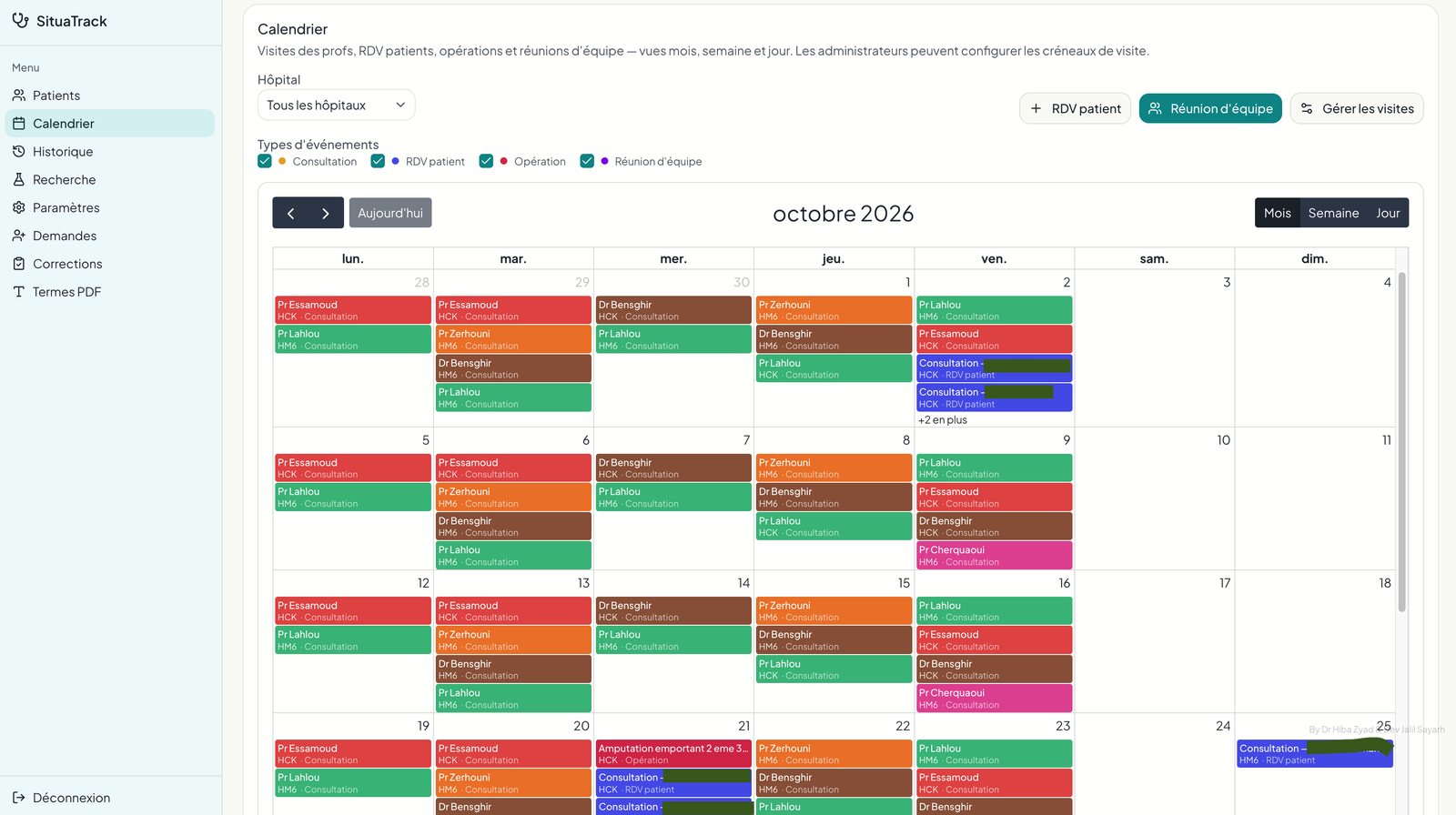
Started with a simple patient appointment management system. Google calendar style feature to manage professor visits, team meetings, patient appointments and scheduled operations.
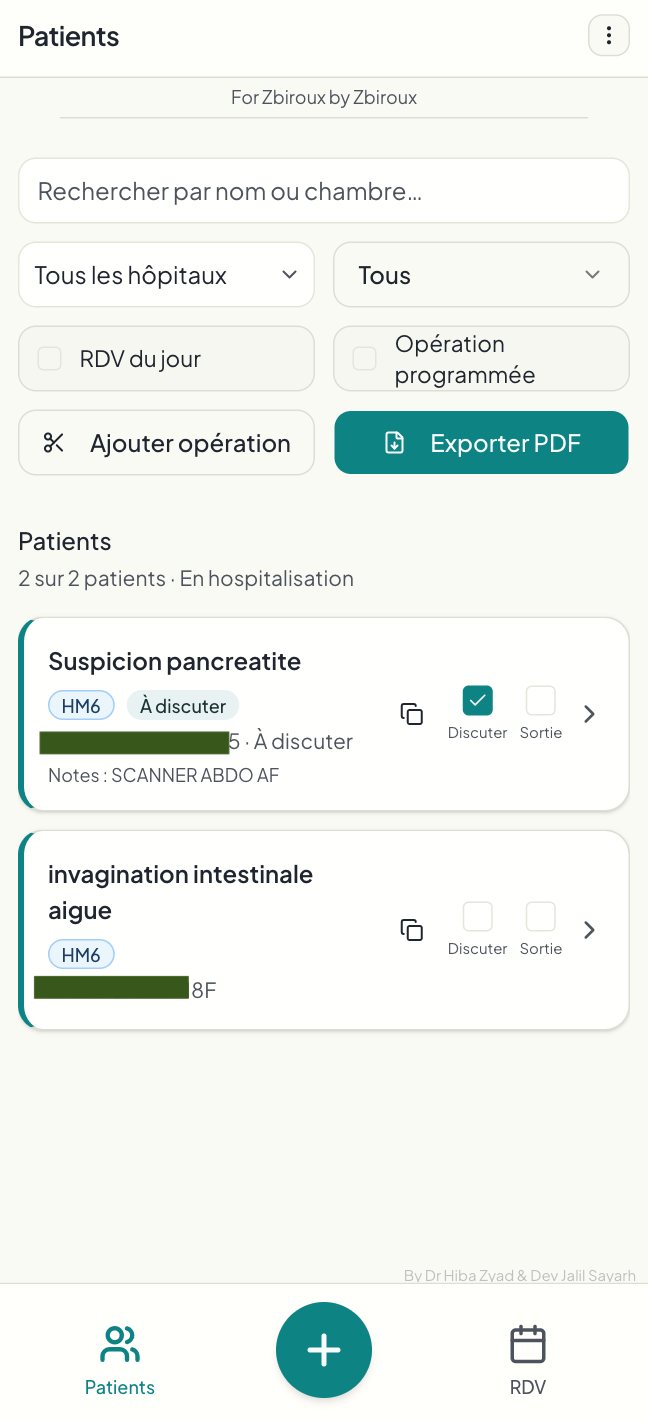
- Ownership mention for emotional connection
- Quick copy for quick paste in legacy hospital software
- Added most important info in main row after doctor feedback
- small corner menu button for easy access to less used pages
- More extensive filter options on hand
- Display of the most important info first
- all 4 main pages always on display
- simpler bottom menu displaying the most used features
Key decisions
- Diagnosis first, name second: doctors often forget a patient’s name but never the diagnosis, so the cards lead with it.
- Thorough over fast: I kept detailed forms and made them faster to complete.
- Custom saved filters: a professor who only follows oncology patients can create and reuse that filter.
- OCR over a vision model: with no ERP or barcode access, an OCR JavaScript library auto-fills patient data from tags. It’s less accurate, but it keeps entry fast.
- “À discuter” flag: it lets the team prioritise cases for briefs and meetings.
- One-click copy to the ERP: the app generates a full profile in a predefined text structure, ready to paste into the hospital’s legacy software. This removes the worst part of the double entry.
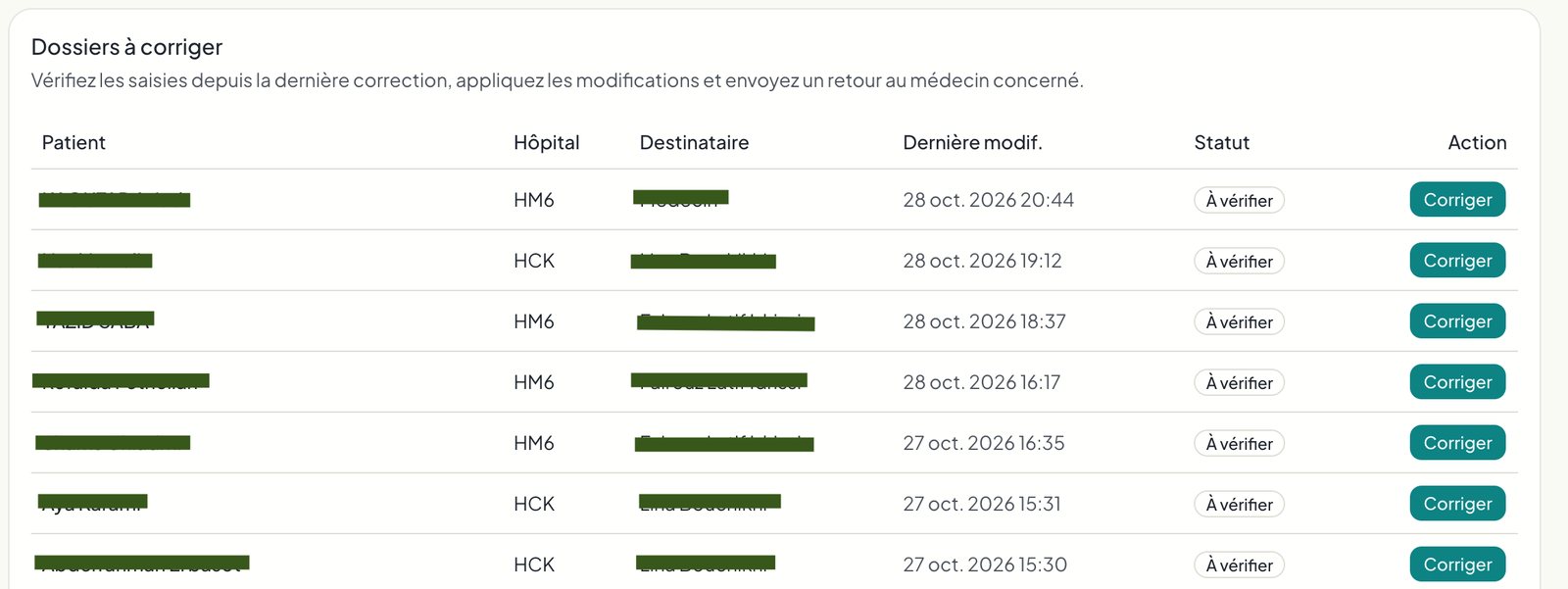
- Corrections: admins can roll back any user action in one click, so deleting the wrong patient is never permanent.
- Residents as admins: only they approve new accounts, with push notifications and a waiting list.
Privacy
My developer account only sees anonymised names and images, so I never access identifying or distressing content.
Each profile sees a specific set of pages, and has different access roles with strict RLS policies in place.
Account creation needs to be validated by an admin who is notified via pop up on connection and smartphone push notification on the validation of the account’s email address to avoid spam attacks.
Results
Estimated time saved per day, from the team’s own accounts:
- 1 hour for each intern on reporting.
- 15-30 minutes for residents who no longer fix reports.
- 15 minutes for professors when errors used to surface.
Plus j’y pense plus je trouve que ça a un potentiel de fou.
The site is incredible.
I stopped filling out the forms, now it’s all the interns’ job, I’m so relieved. Everyone is thrilled.
Learnings
- My 3-click rule was the wrong heuristic for this audience. I now ask what “good” means to the users before designing.
- Building directly gave fast feedback but left no design artifacts. Next time I would sketch flows first and keep a decision log.
- Status and protocol are part of usability for hierarchical professions.